Selected projects

Tailored business software, with less effort to build and adapt.

When software stops fitting the work, teams fill the gaps with spreadsheets, emails and duplicate entry. We build around that operational reality, so the application can stay useful as your business changes. These projects show what that looks like in practice.

Reuse the foundations. Focus the effort on your business.

DT-engine provides reusable foundations for business applications. AI-assisted development helps us implement and refine the parts specific to your workflow, with code review and testing. Together, they reduce the effort of implementation and later adaptation.

Lower effort can make smaller tailored workflows economically viable for an SMB. It also makes it practical to discover what you need through working software: try it, get feedback from the people doing the work, and refine the application as the needs become clearer.

Choose how we work together

We can work closely as needs emerge, or prepare a more defined piece of work before building. The level of preparation and flexibility differs.

Hands-on co-development

Short working sessions connect your operational knowledge with our development work. Lightweight specifications and decision notes keep us aligned while you try the software, give feedback and adjust the next step.

Defined delivery slices

We agree on a more detailed specification and acceptance criteria for each slice before implementation. This needs more preparation and offers less flexibility within the slice; what we learn can shape the next one.

The manufacturing daily view is an illustration with fictional data. Other screenshots and videos show actual applications in separate demo environments with fictional data. Preview builds and prototypes are labelled. Client identities and private application data are not shown.

01

Client & professional work

Applications delivered for a client or through a technology provider, using the foundation suited to each project.

Client application · anonymized

From paper timesheets to time tracking on the shop floor

A Quebec manufacturer needed to use shop-floor time records for payroll and project labour reports.

Read the manufacturing case study
Main steps
  1. Record time
  2. Review exceptions
  3. Prepare payroll data

Our work

We designed and developed an application for shared tablets. Employees identify themselves with an NFC badge and select their project and activity; supervisors review the time records. A daily view helps the foreman or plant manager follow work in progress and completed activities.

Implemented with DAZZM. The same time records support supervisor review, payroll preparation and project labour reporting.
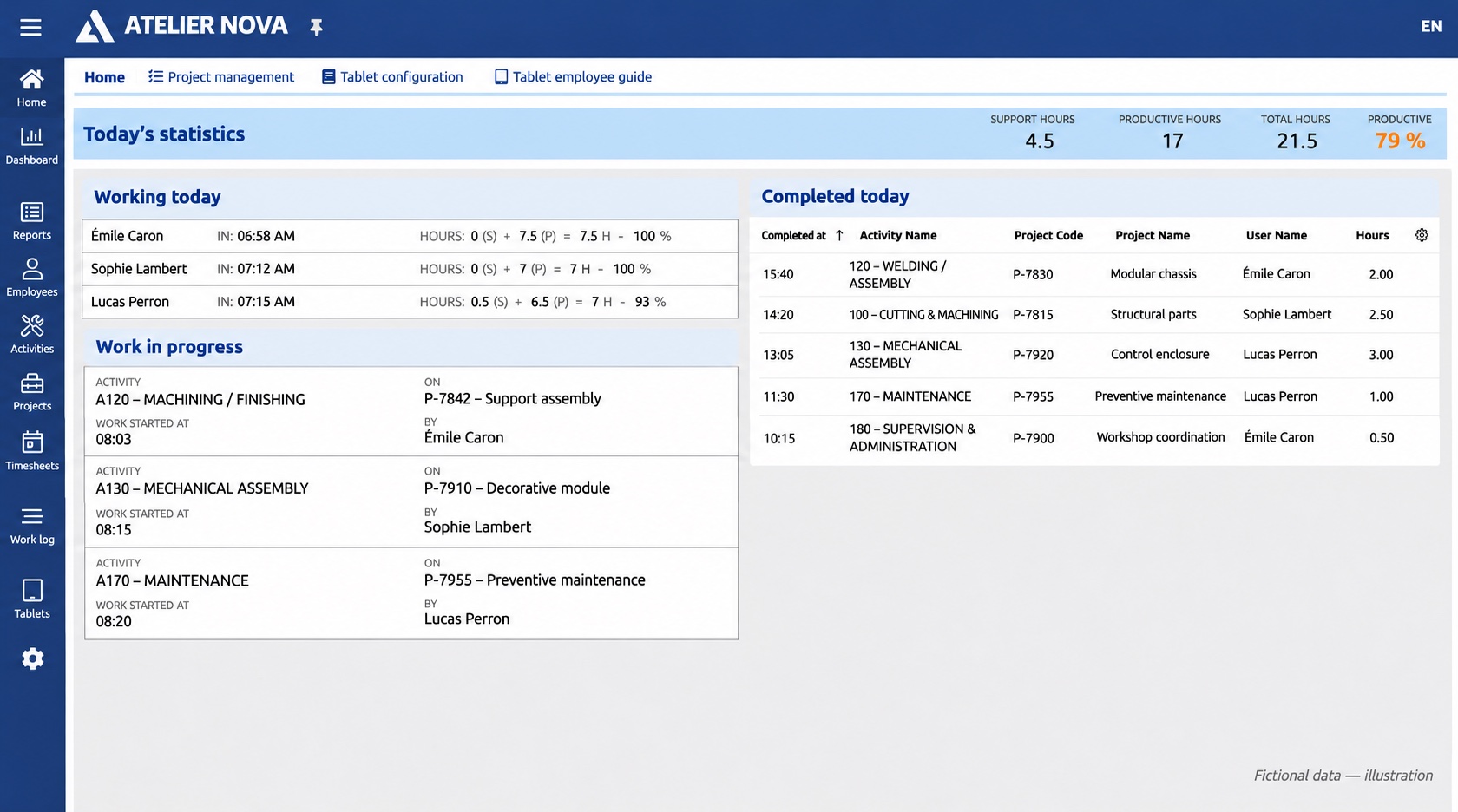
Fictional manufacturing dashboard showing work in progress, completed activities and productive versus support hours.
Example daily view for a shop foreman or plant manager (fictional data).
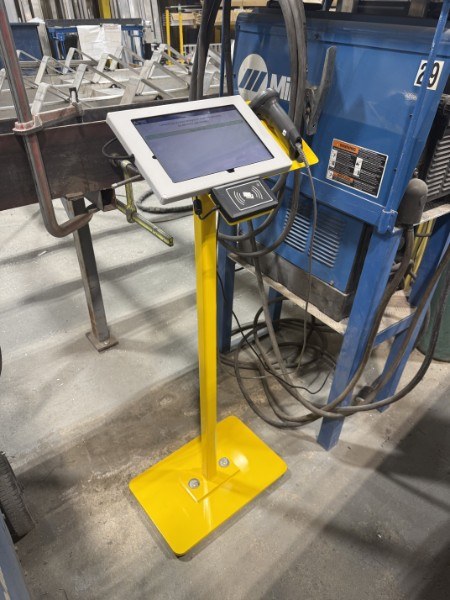
Shared workshop tablet on a yellow stand with an NFC reader beside production equipment.
Workshop photo: a shared tablet and NFC reader give time capture a physical home near the work.

Prior professional work · anonymized

Store locator for multi-location brands

A local-search technology provider needed a store locator for the brands it served.

Main steps
  1. Find a location
  2. View location details
  3. Plan a visit

Our work

Thomas Brenneur developed the store locator, which the technology provider delivered to its customers.

Those brands were customers of the technology provider, not direct DEVTom clients. Their names and images are not shown.

02

Business applications

Working applications for our own operations make the approach concrete: keep information connected through invoicing, research and content work. These focused workflows reflect needs shared by many businesses.

Launched internal application

Billing

Keep the path from completed services to the final invoice in one application. Customer details, service dates, amounts and taxes stay connected through review, approval and PDF download.

Main steps
  1. Add services
  2. Review and approve
  3. Download the invoice

Our work

Choose the customer, add catalogue services and enter the hours or quantities. Billing calculates the amounts and taxes; approval assigns the invoice number and preserves the final details. The same information is available on desktop and mobile, through to the finished PDF.

Built for DEVTom’s internal invoicing, with a focused workflow from service entries to the finished document.

Create an invoice, from services to PDF

Fictional demo data · AI-generated narration · English interface · ends at PDF download
Read the video transcript

Let me show you how we create a service invoice in Billing, using fictional data for this demo. We choose the client, set the invoice date and payment terms, and save a draft. Then we add the services provided from the catalogue, enter the quantity or hours, and check the description and service dates. The application uses the catalogue price to calculate the amounts and applicable taxes, which we review alongside the subtotal and total. We can adjust the draft before approving it; approval assigns the invoice number and preserves the final details. From there, we open the document preview and download the finished PDF. That’s the idea: a clear path from the services you’ve provided to a finished invoice.

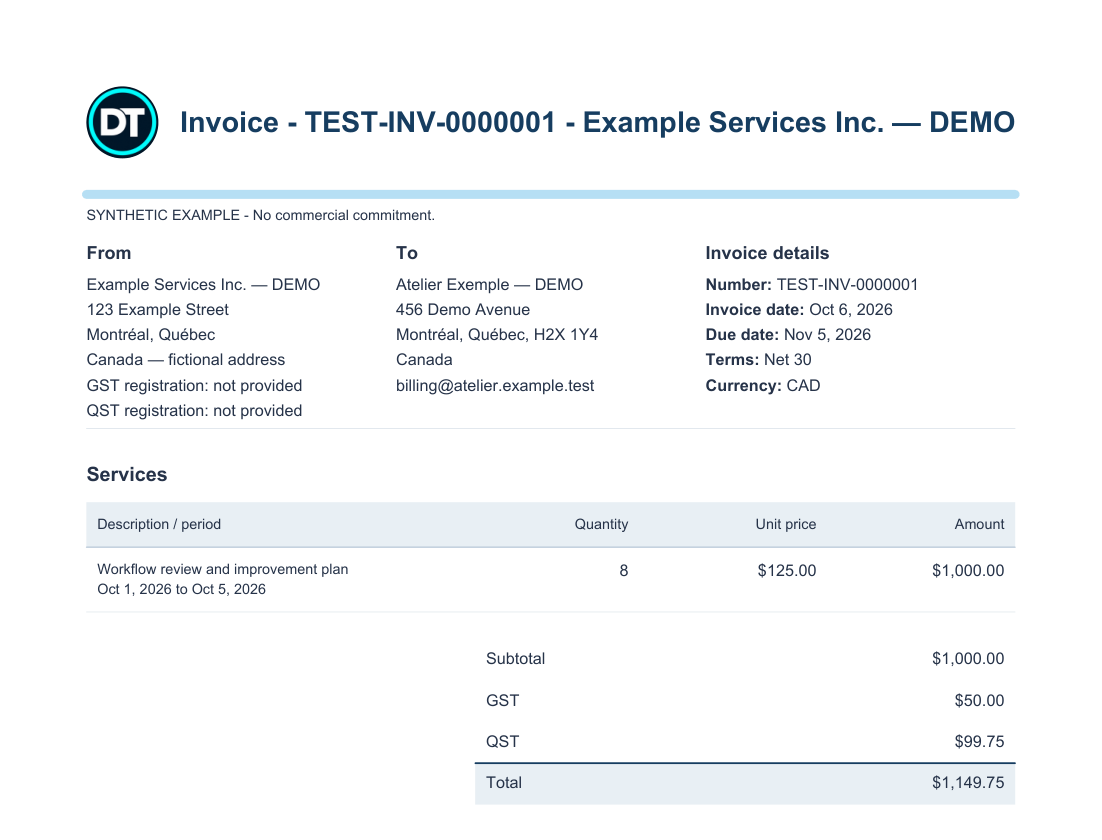
Sample service invoice generated by Billing with fictional companies, eight hours of services, taxes and a total of CAD $1,149.75
Sample invoice · PDF generated in a demo environment · fictional dataView full-size screenshot
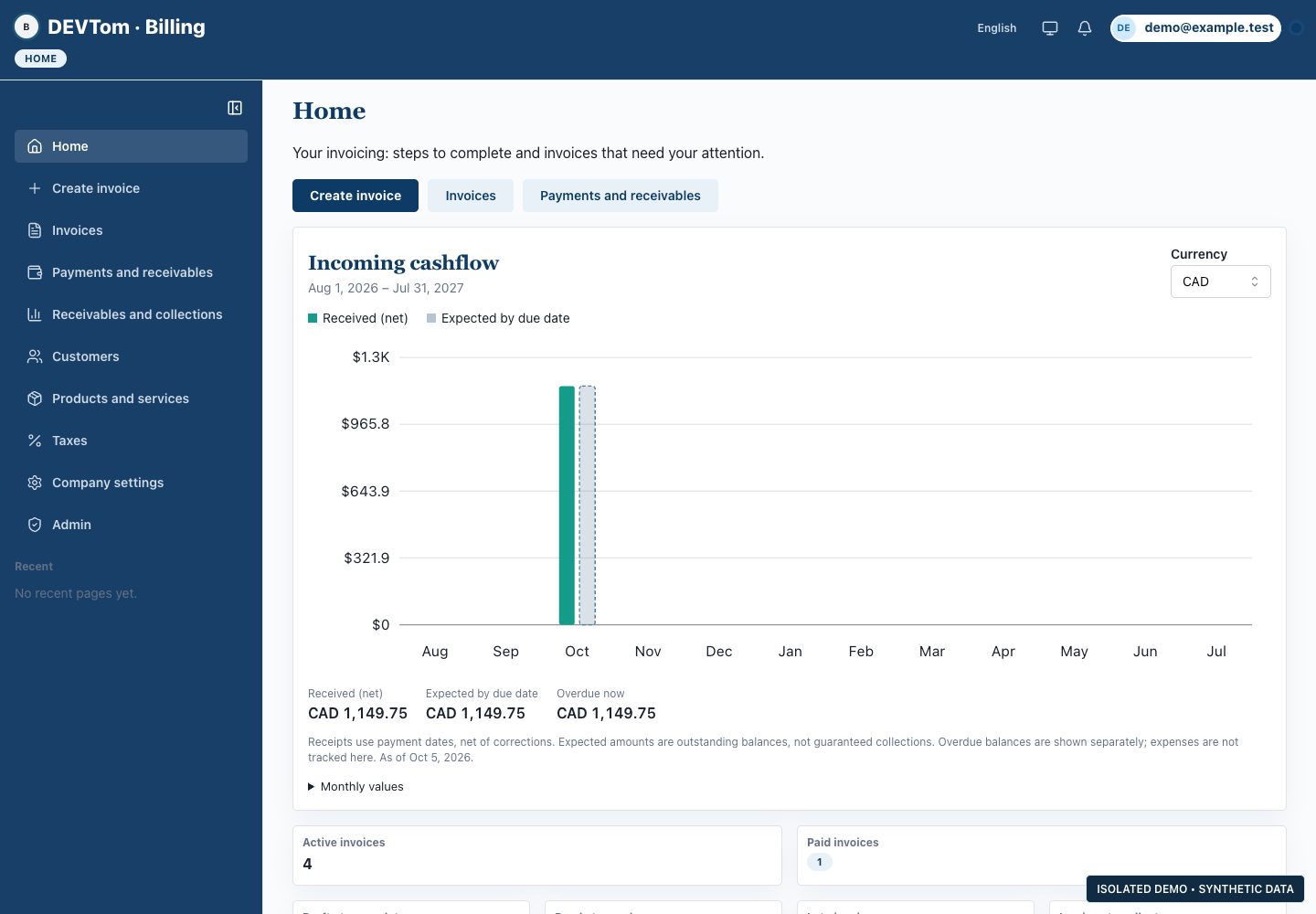
Cashflow overview: actual application interface with fictional demo data
Cashflow overview · desktop demo · fictional dataView full-size screenshot
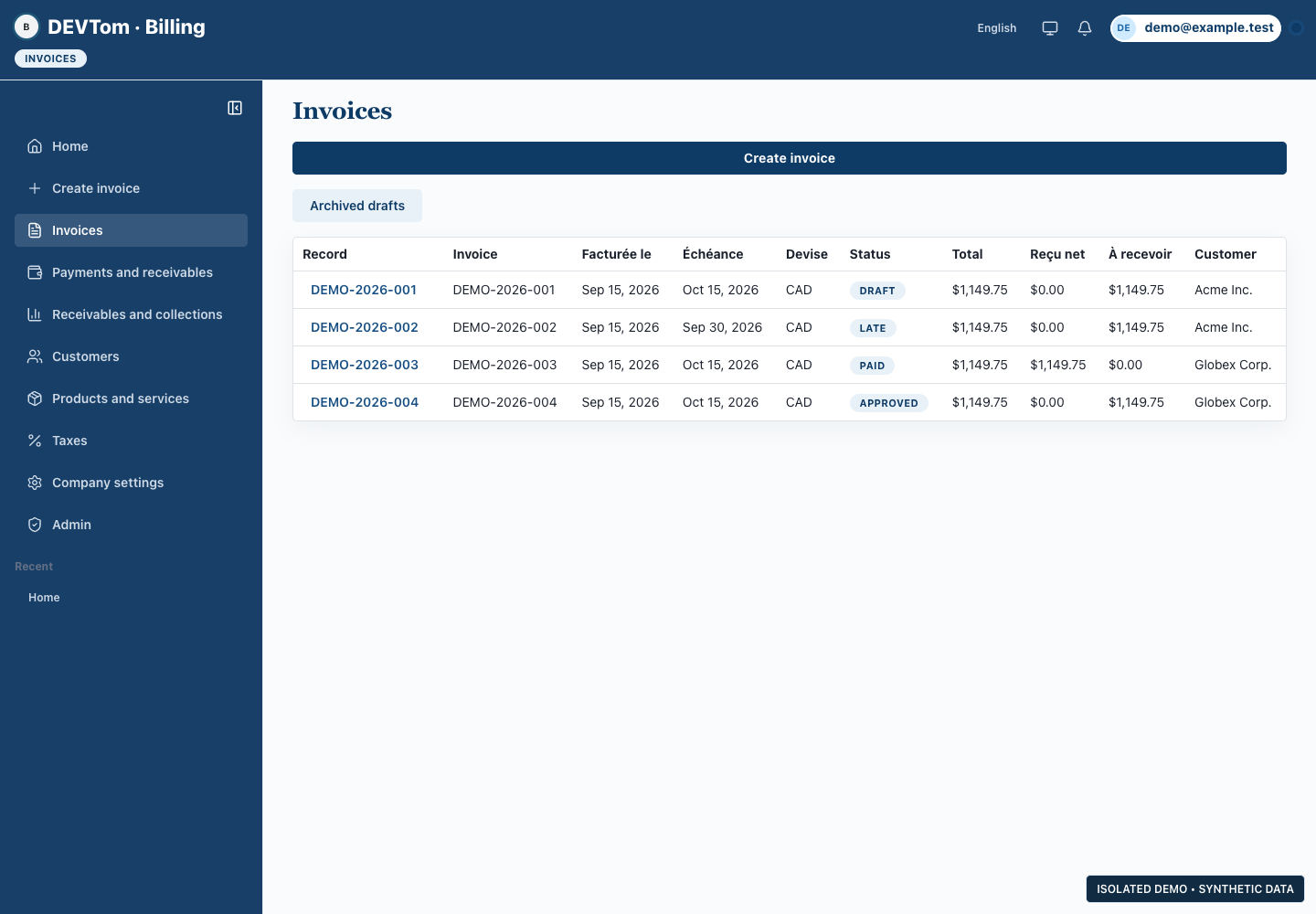
Invoice tracking: actual application interface with fictional demo data
Invoice tracking · desktop demo · fictional dataView full-size screenshot
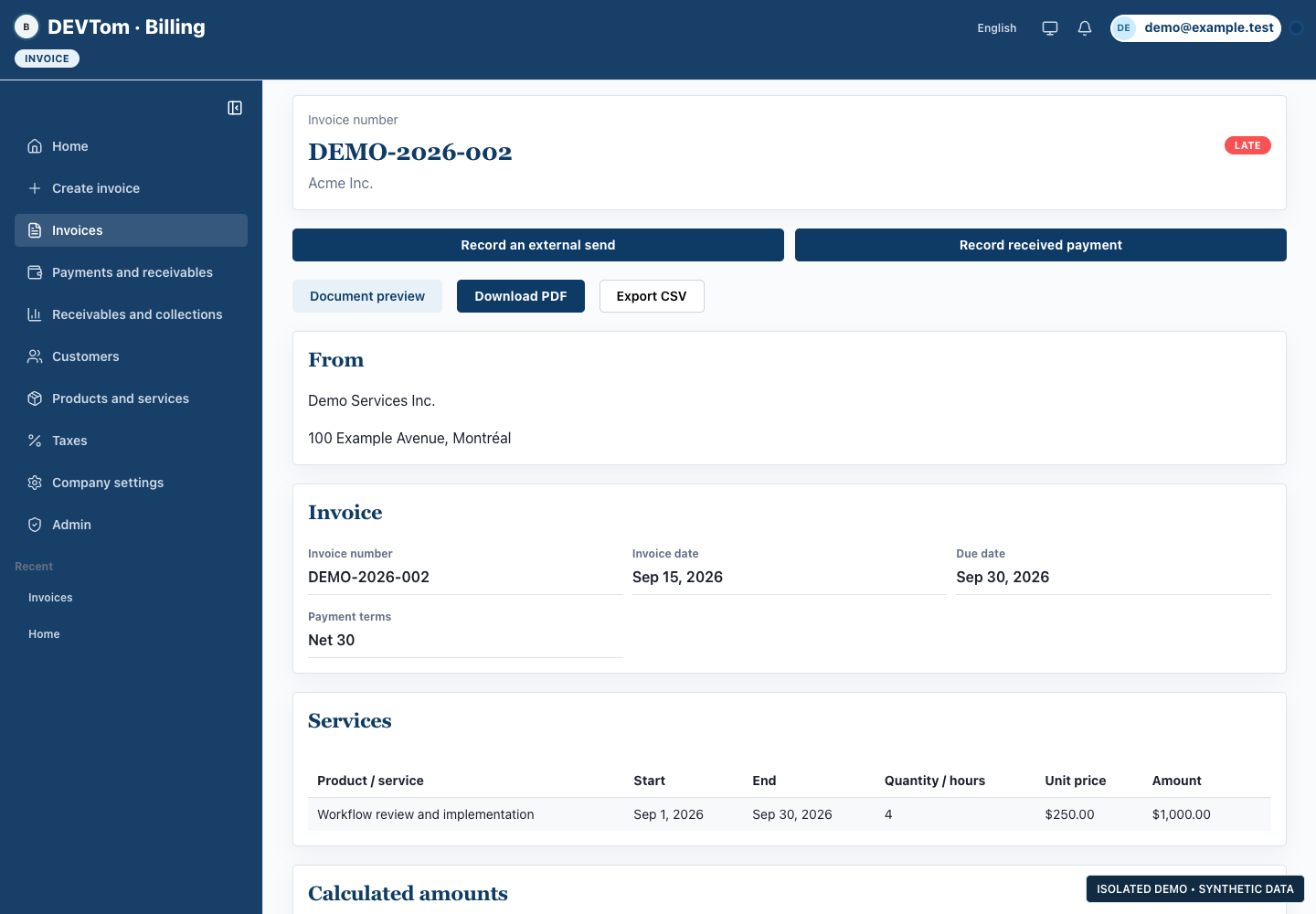
Invoice workspace: actual application interface with fictional demo data
Invoice workspace · desktop demo · fictional dataView full-size screenshot

Internal application · features in development

Radar

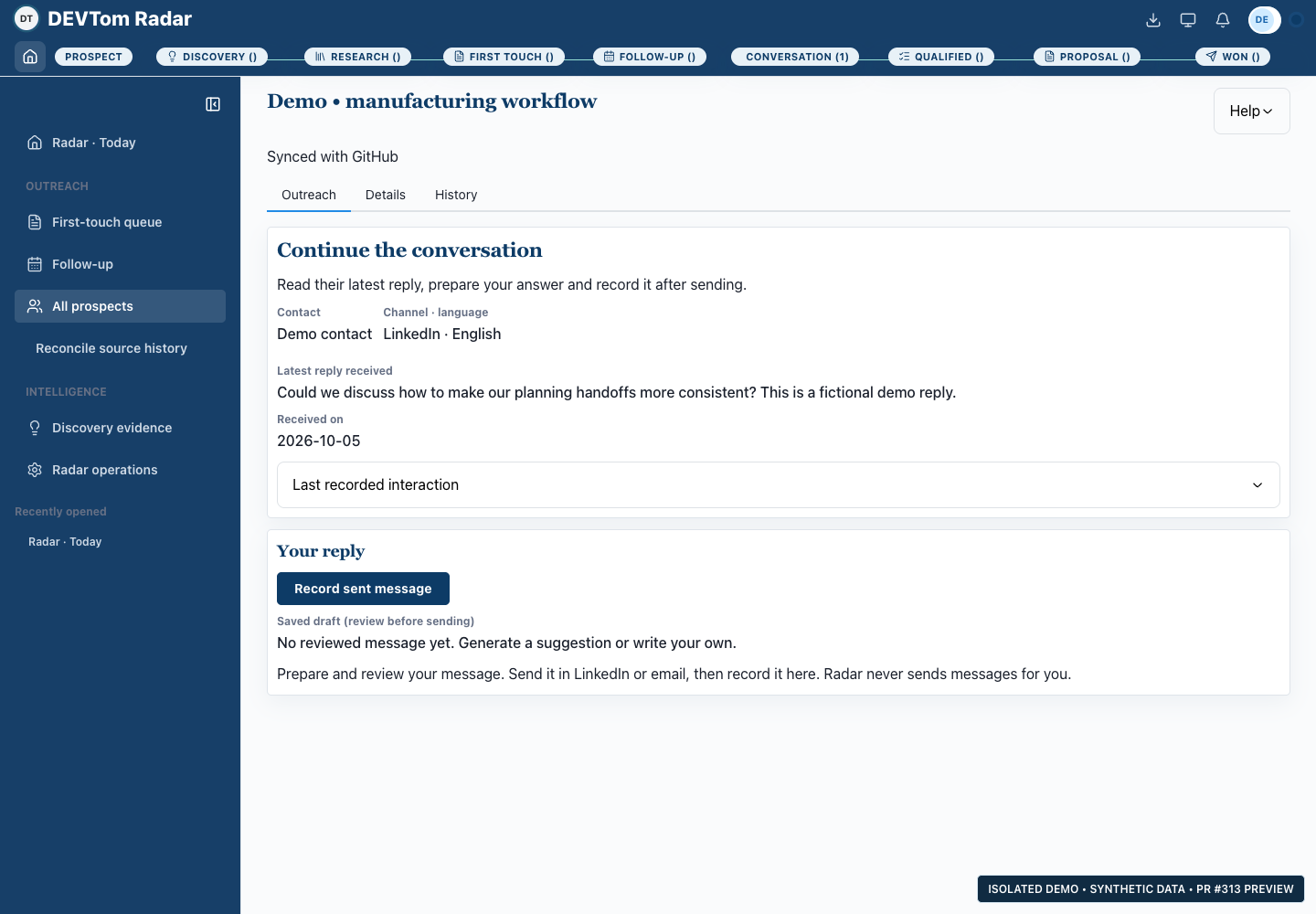
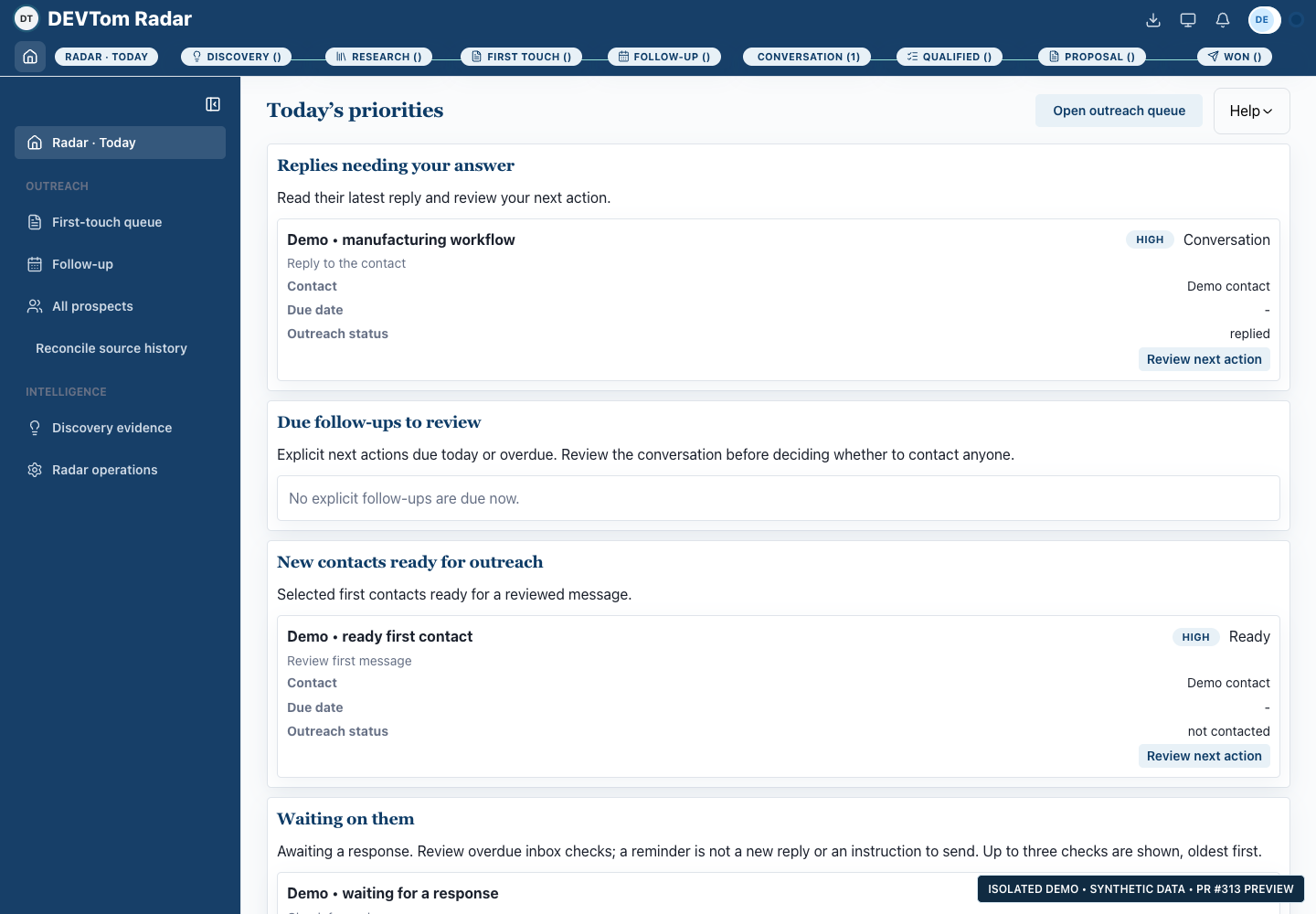
Keep market research, supporting sources and conversation history together. Radar connects an opportunity to its context, so the next contact or follow-up can build on what is already known.

Main steps
  1. Gather public information
  2. Assess opportunities
  3. Review next steps

Our work

Assess an opportunity using public information and its sources. AI uses that research and previous conversations to propose a message for human review. The same research can inform market learning and content ideas.

Designed for informed outreach: you decide which opportunities to pursue and which messages to use. Radar does not send the proposed messages automatically.

Conversation history: actual application interface with fictional demo data
Conversation history · desktop demo · fictional dataView full-size screenshot
Daily priorities: actual application interface with fictional demo data
Daily priorities · desktop demo · fictional dataView full-size screenshot
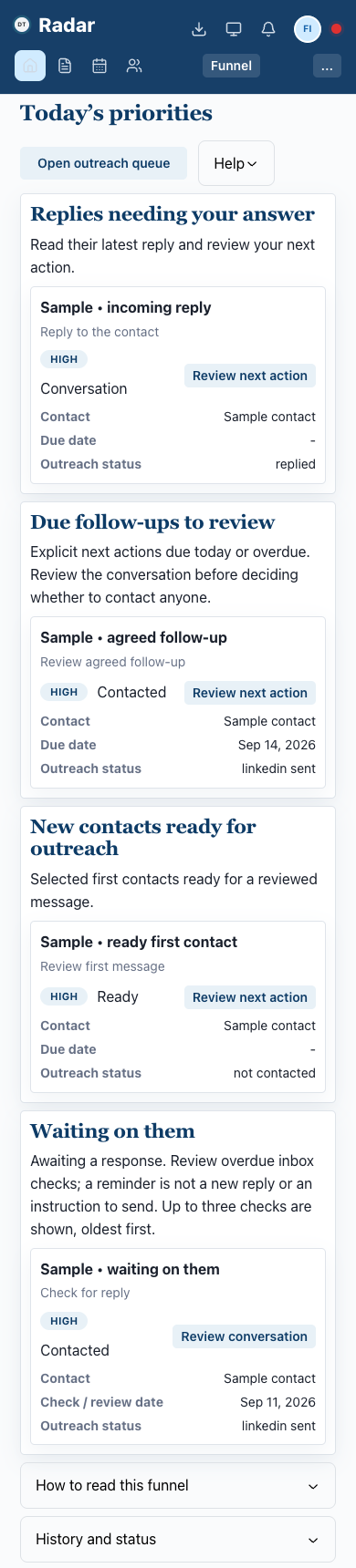
Phone view · fictional data
Radar priorities on a phone, showing fictional sample contacts
Phone view · fictional dataView full-size screenshot

Internal editorial application

Content Studio

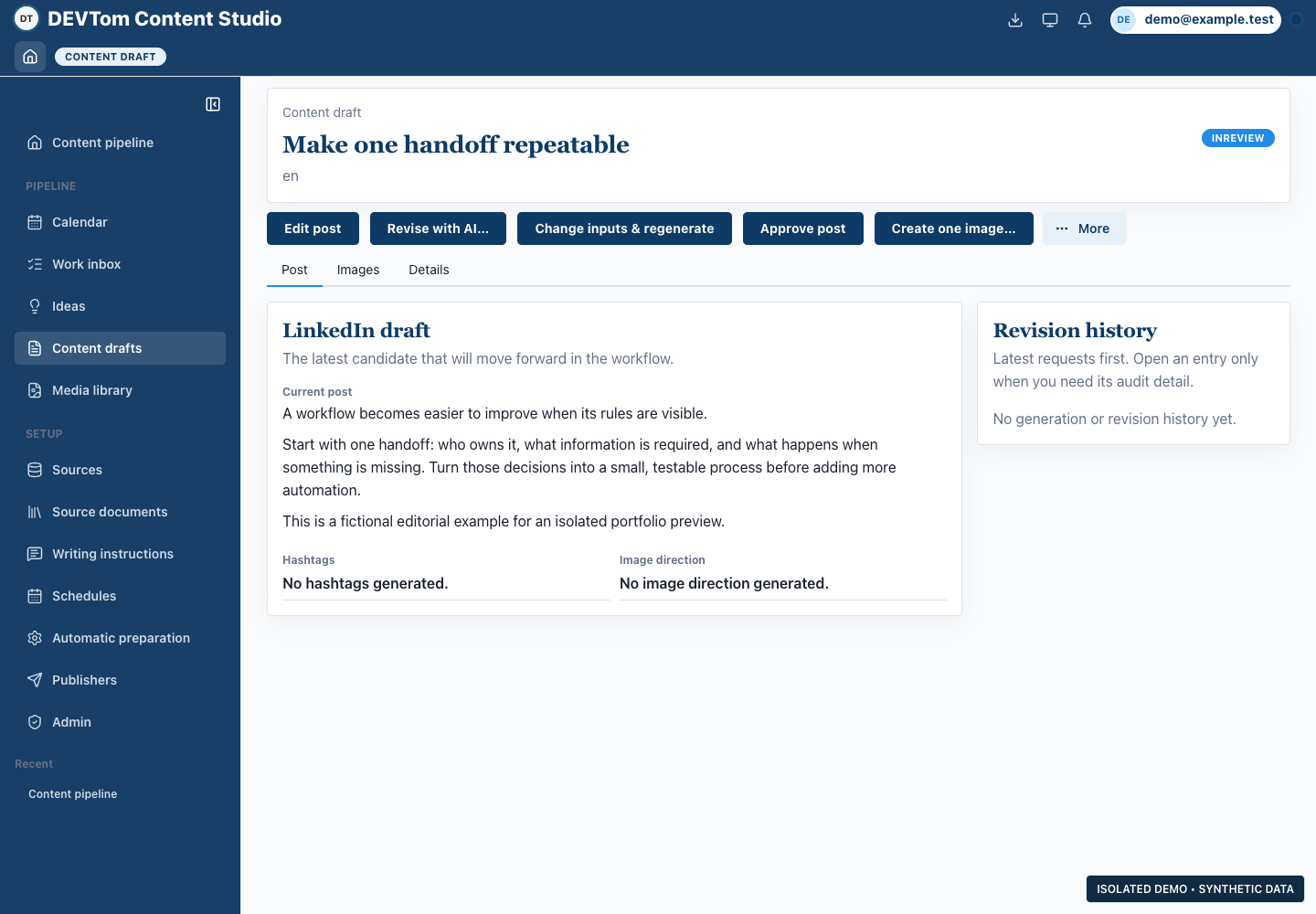
Carry the sources, drafts and approval of an idea through to publication planning. Content Studio keeps English and French editorial work in one workflow, with AI drafting and human review.

Main steps
  1. Select sources
  2. Draft and revise
  3. Approve and schedule

Our work

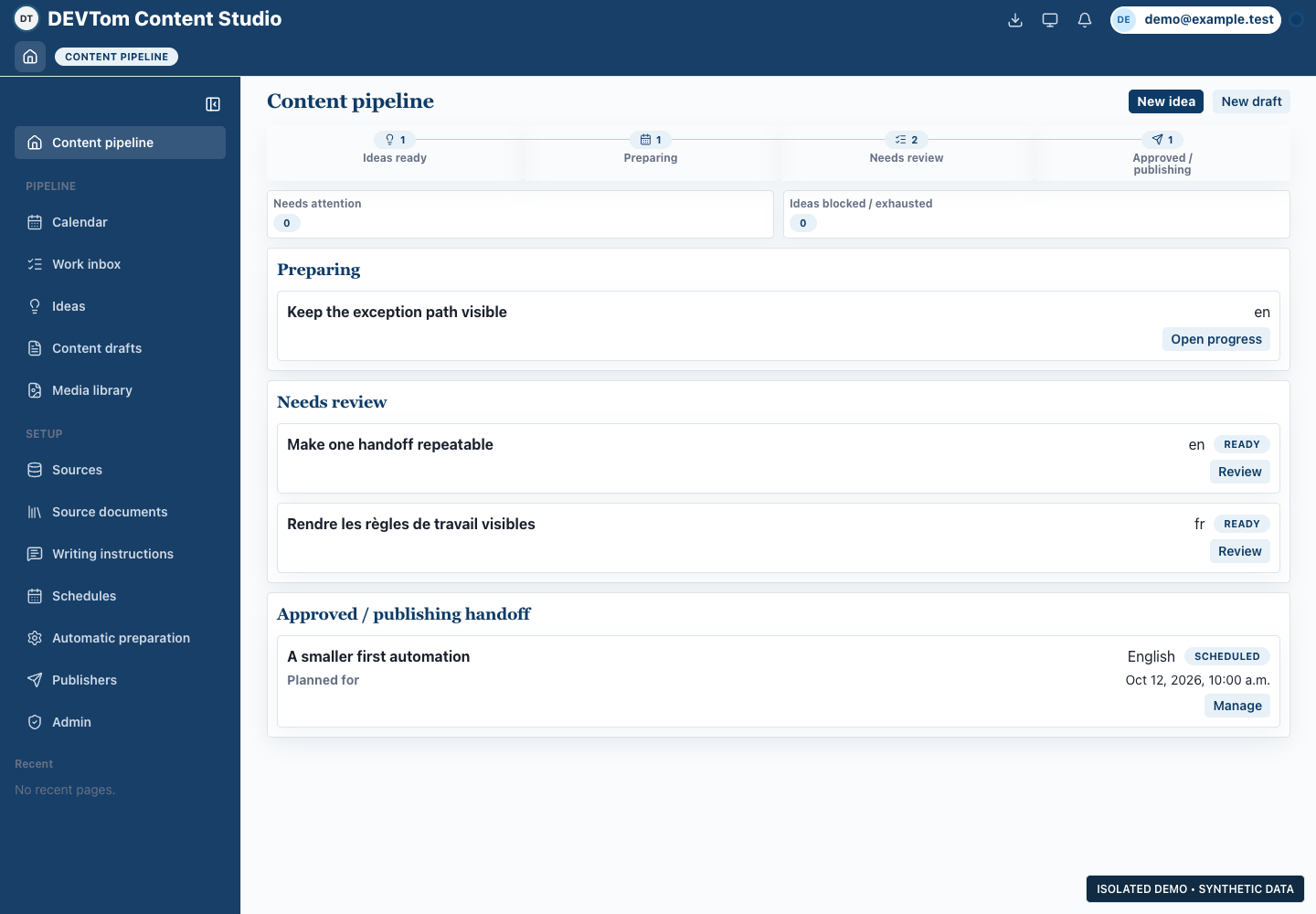
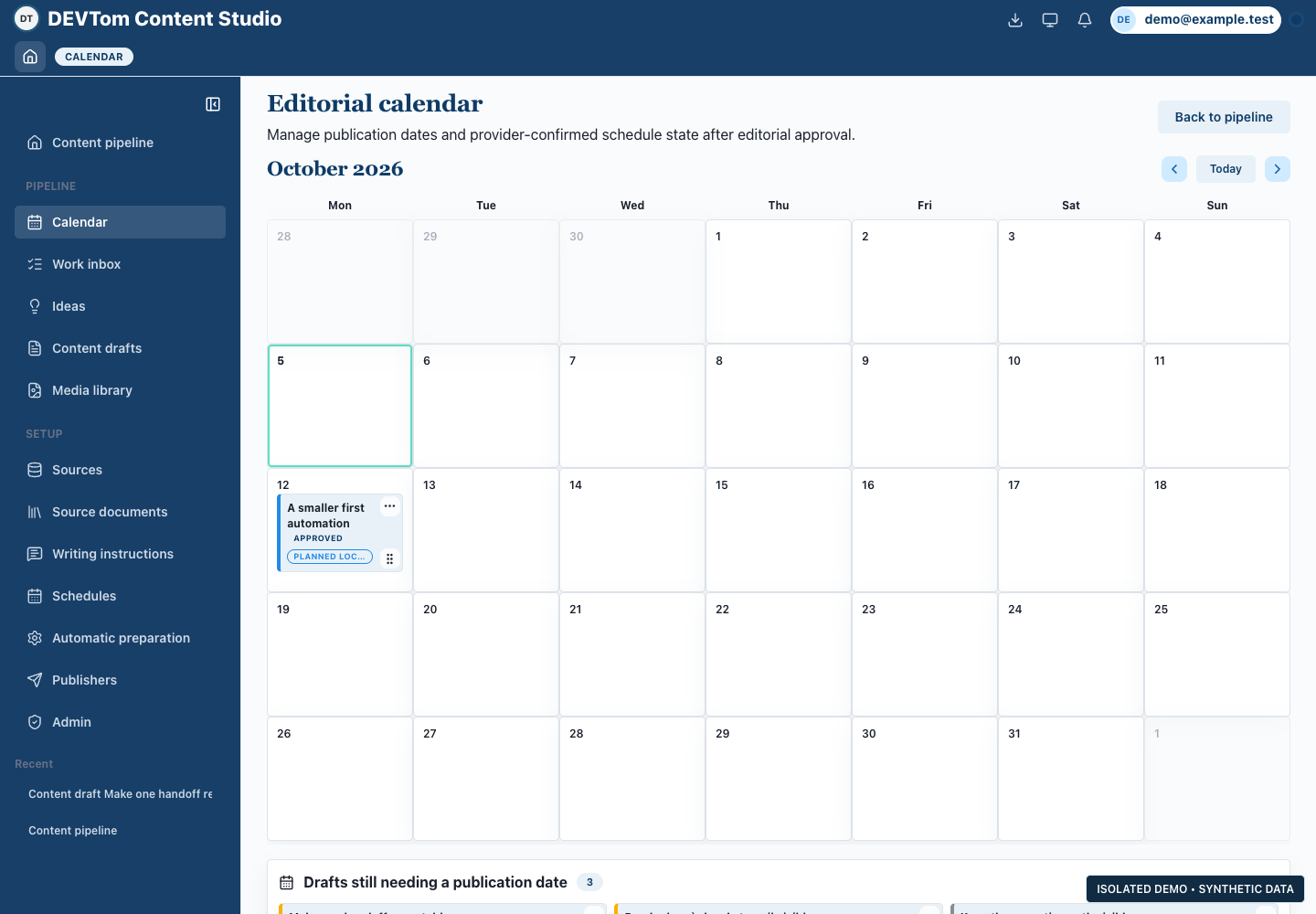
AI drafts and revises from selected sources, prepares translations and proposes images with accessible alt text. Review the work against its sources, refine it, then approve it and plan publication in the calendar.

Built for DEVTom’s editorial work, with sources and human approval carried through the content workflow.

Editorial review: actual application interface with fictional demo data
Editorial review · desktop demo · fictional dataView full-size screenshot
Content workflow: actual application interface with fictional demo data
Content workflow · desktop demo · fictional dataView full-size screenshot
Editorial calendar: actual application interface with fictional demo data
Editorial calendar · desktop demo · fictional dataView full-size screenshot

03

In development

A prototype exploring how requirements and decisions can stay connected as a software project evolves.

Prototype · in development

SpecBlitz

Keep the reasoning behind a software change connected to its requirements. SpecBlitz explores a shared workspace for clients and developers to discuss specifications and track decisions as needs become clearer.

Main steps
  1. Organize requirements
  2. Review a specification
  3. Track changes

Our work

Discuss individual specifications and retain their revisions. AI uses the relevant revision as writing context and checks for inconsistencies; reviewers compare its suggestions with the specification and decide what to keep.

Designed to give clients and developers a shared reference for what the software should do and how the requirements evolve.

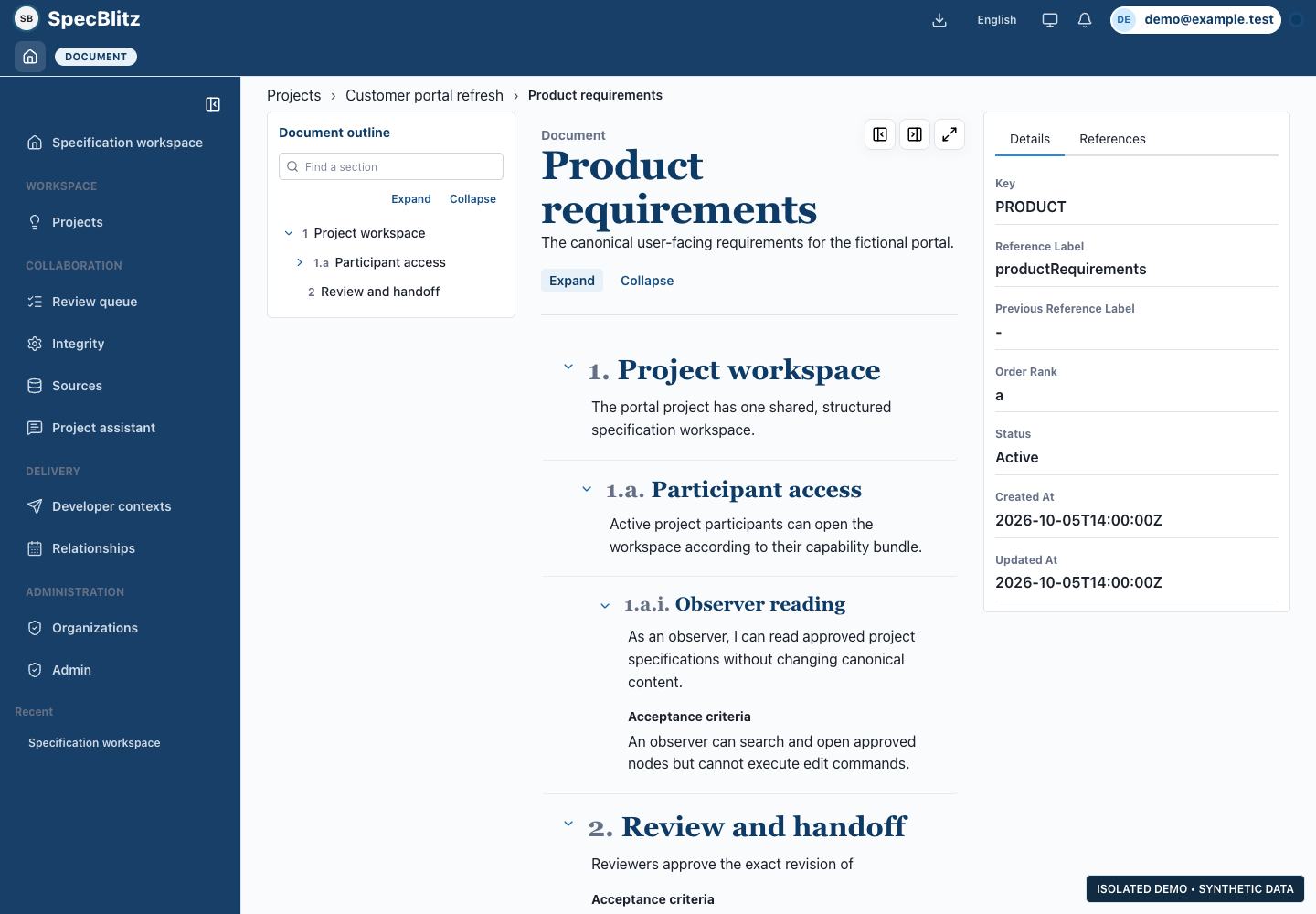
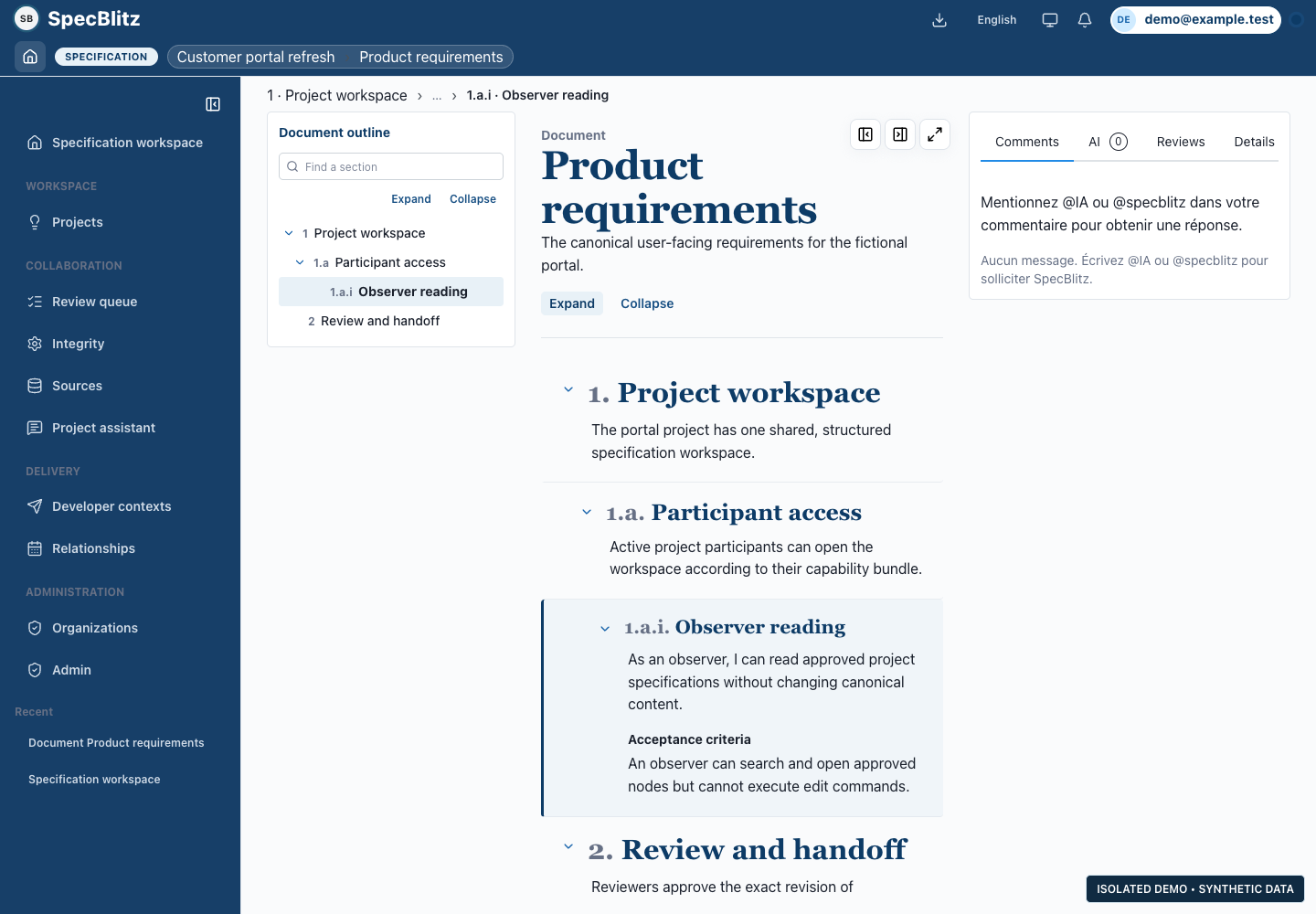
Document workspace: actual application interface with fictional demo data
Document workspace · desktop demo · fictional dataView full-size screenshot
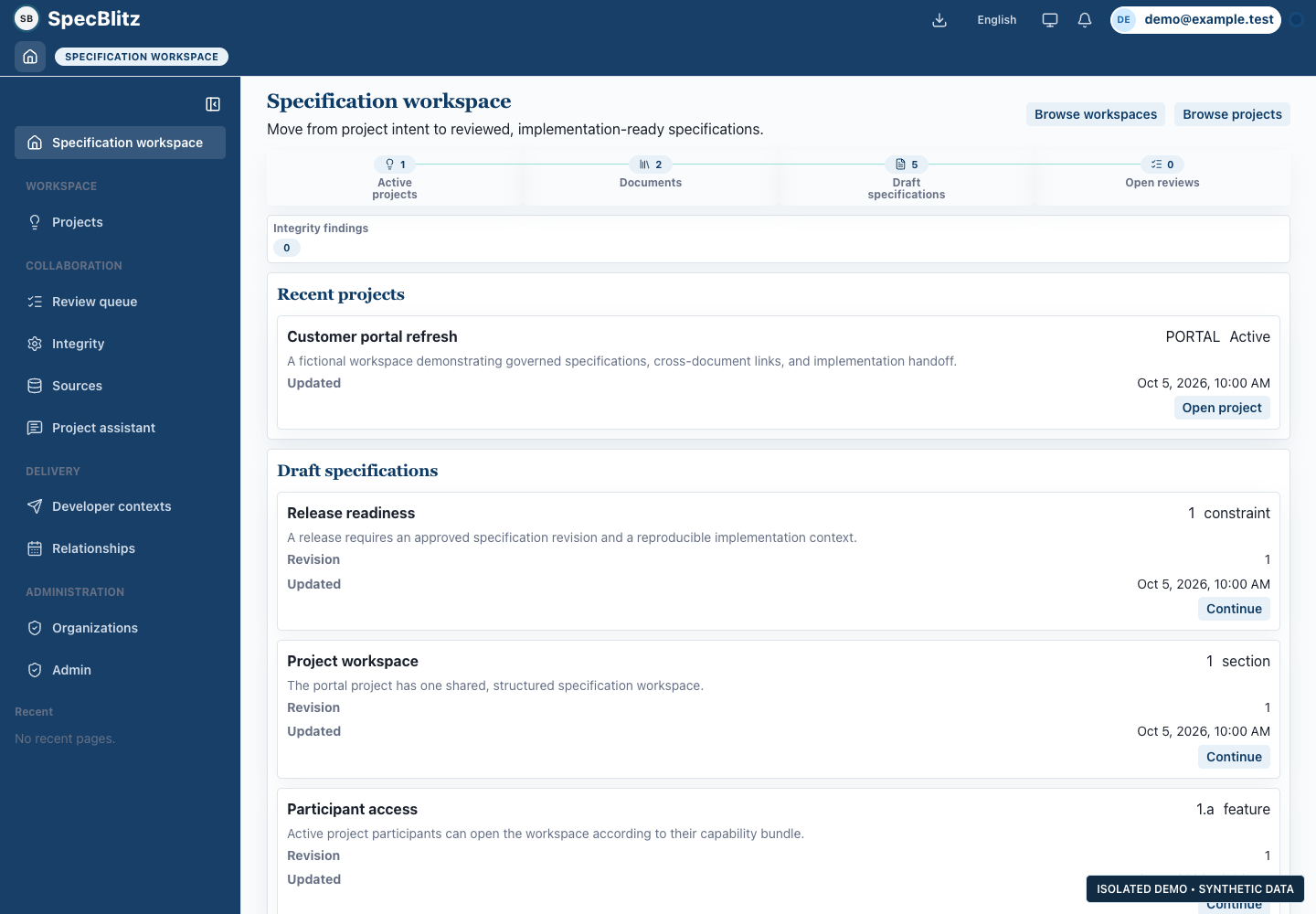
Specification overview: actual application interface with fictional demo data
Specification overview · desktop demo · fictional dataView full-size screenshot
Specification and discussion: actual application interface with fictional demo data
Specification and discussion · desktop demo · fictional dataView full-size screenshot

Keep the software in step with the business

As responsibilities, approval rules or information needs change, adapting the application should remain practical. Keeping the software aligned with the work helps reduce manual workarounds, duplicate entry and parallel processes in spreadsheets and email.

We choose the foundation to suit the project. DT-engine is under active development and used on selected projects; other implementations use DAZZM. AI supports development and the application workflows where it is useful, with review and testing. Authorized agent access to business operations remains a development priority.

Learn about DT-engine

Where is your software making work harder?

Tell us where information is re-entered, approvals get stuck or teams work around the system. If you advise SMBs, bring the same operational picture for a client. We can identify a useful workflow and a delivery approach that fits.

Talk about your needs